Compare commits
1 Commits
| Author | SHA1 | Date | |
|---|---|---|---|
 Mohamed El-Kalioby Mohamed El-Kalioby
|
c1fbdab069 |
+2
-14
@@ -1,19 +1,7 @@
|
||||
# Change Log
|
||||
## 2.4.0
|
||||
|
||||
* Fixed: issue in the 'Authorize' button don't show on Safari Mobile.
|
||||
* Upgrade to FIDO2 0.9.2, to fix issue with Windows 11.
|
||||
* Fixed: Minor Typos.
|
||||
|
||||
|
||||
## 2.3.0
|
||||
* Fixed: A missing import Thanks @AndreasDickow
|
||||
* Fixed: `MFA.html` now call `{{block.super}}` for head and content blocks, thanks @mnelson4
|
||||
* Added: #55 introduced `mfa_base.html` which will be extended by `MFA.html` for better styling
|
||||
|
||||
## 2.2.0
|
||||
## 2.2.0 (Not released)
|
||||
* Added: MFA_REDIRECT_AFTER_REGISTRATION settings parameter
|
||||
* Fixed: Deprecation error for NULBooleanField
|
||||
|
||||
## 2.1.2
|
||||
* Fixed: Getting timestamp on Python 3.7 as ("%s") is raising an exception
|
||||
@@ -21,7 +9,7 @@
|
||||
|
||||
|
||||
## 2.1.1
|
||||
* Fixed: FIDO2 version in requirements.txt file.
|
||||
* Fixed: FIDO2 version in requirments.txt file.
|
||||
|
||||
## 2.1.0
|
||||
* Added Support for Touch ID for Mac OSx and iOS 14 on Safari
|
||||
|
||||
@@ -12,7 +12,7 @@ A Django app that handles MFA, it supports TOTP, U2F, FIDO2 U2F (Web Authn), Ema
|
||||
|
||||
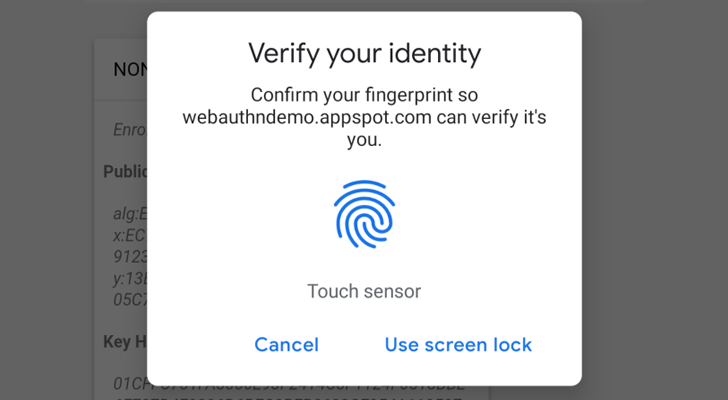
Web Authencation API (WebAuthn) is state-of-the art techology that is expected to replace passwords.
|
||||
|
||||
|
||||

|
||||
|
||||
For FIDO2, the following are supported
|
||||
* **security keys** (Firefox 60+, Chrome 67+, Edge 18+, Safari 13 on Mac OS, Chrome on Andriod, Safari on iOS 13.3+),
|
||||
@@ -20,8 +20,6 @@ For FIDO2, the following are supported
|
||||
* **Apple's Touch ID/Face ID** (Chrome 70+ on Mac OS X, Safari on macOS Big Sur, Safari on iOS 14.0+ ),
|
||||
* **android-safetynet** (Chrome 70+, Firefox 68+)
|
||||
* **NFC devices using PCSC** (Not Tested, but as supported in fido2)
|
||||
* **Soft Tokens**
|
||||
* [krypt.co](https://krypt.co/): Login by a notification on your phone.
|
||||
|
||||
In English :), It allows you to verify the user by security keys on PC, Laptops or Mobiles, Windows Hello (Fingerprint, PIN) on Windows 10 Build 1903+ (May 2019 Update) Touch/Face ID on Macbooks (Chrome, Safari), Touch/Face ID on iPhone and iPad and Fingerprint/Face/Iris/PIN on Android Phones.
|
||||
|
||||
@@ -62,9 +60,9 @@ Depends on
|
||||
'mfa',
|
||||
'......')
|
||||
```
|
||||
2. Collect Static Files
|
||||
1. Collect Static Files
|
||||
`python manage.py collectstatic`
|
||||
3. Add the following settings to your file
|
||||
1. Add the following settings to your file
|
||||
|
||||
```python
|
||||
MFA_UNALLOWED_METHODS=() # Methods that shouldn't be allowed for the user
|
||||
@@ -75,7 +73,6 @@ Depends on
|
||||
MFA_RECHECK_MIN=10 # Minimum interval in seconds
|
||||
MFA_RECHECK_MAX=30 # Maximum in seconds
|
||||
MFA_QUICKLOGIN=True # Allow quick login for returning users by provide only their 2FA
|
||||
MFA_RESIDENT_KEY = None # Use Resident Key (Only supported in Chromimum based browsers)
|
||||
MFA_HIDE_DISABLE=('FIDO2',) # Can the user disable his key (Added in 1.2.0).
|
||||
MFA_OWNED_BY_ENTERPRISE = FALSE # Who owns security keys
|
||||
|
||||
@@ -98,7 +95,7 @@ Depends on
|
||||
* Starting version 1.7.0, Key owners can be specified.
|
||||
* Starting version 2.2.0
|
||||
* Added: `MFA_SUCCESS_REGISTRATION_MSG` & `MFA_REDIRECT_AFTER_REGISTRATION`
|
||||
4. Break your login function
|
||||
1. Break your login function
|
||||
|
||||
Usually your login function will check for username and password, log the user in if the username and password are correct and create the user session, to support mfa, this has to change
|
||||
|
||||
@@ -118,7 +115,7 @@ Depends on
|
||||
return log_user_in(request,username=user.username)
|
||||
#log_user_in is a function that handles creatung user session, it should be in the setting file as MFA_CALLBACK
|
||||
```
|
||||
5. Add mfa to urls.py
|
||||
1. Add mfa to urls.py
|
||||
```python
|
||||
import mfa
|
||||
import mfa.TrustedDevice
|
||||
@@ -129,15 +126,14 @@ Depends on
|
||||
'....',
|
||||
]
|
||||
```
|
||||
6. Provide `mfa_auth_base.html` in your templates with block called 'head' and 'content', The template will be included during the user login, the template shall be close to the login template.
|
||||
1. Provide `mfa_auth_base.html` in your templaes with block called 'head' and 'content'
|
||||
The template will be included during the user login.
|
||||
If you will use Email Token method, then you have to provide template named `mfa_email_token_template.html` that will content the format of the email with parameter named `user` and `otp`.
|
||||
7. To match the look and feel of your project, MFA includes `base.html` but it needs blocks named `head` & `content` to added its content to it.
|
||||
**Note:** Starting v2.3.0, a new template `mfa_base.html` is introduced, this template is used by `MFA.html` so you can control the styling better and current `mfa_base.html` extends `base.html`
|
||||
8. Somewhere in your app, add a link to 'mfa_home'
|
||||
1. To match the look and feel of your project, MFA includes `base.html` but it needs blocks named `head` & `content` to added its content to it.
|
||||
1. Somewhere in your app, add a link to 'mfa_home'
|
||||
```<li><a href="{% url 'mfa_home' %}">Security</a> </li>```
|
||||
|
||||
|
||||
For Example, See 'example' app
|
||||
For Example, See https://github.com/mkalioby/AutoDeploy/commit/5f1d94b1804e0aa33c79e9e8530ce849d9eb78cc in AutDeploy Project
|
||||
|
||||
# Going Passwordless
|
||||
|
||||
@@ -186,8 +182,6 @@ function some_func() {
|
||||
* [swainn](https://github.com/swainn)
|
||||
* [unramk](https://github.com/unramk)
|
||||
* [willingham](https://github.com/willingham)
|
||||
* [AndreasDickow](https://github.com/AndreasDickow)
|
||||
* [mnelson4](https://github.com/mnelson4)
|
||||
|
||||
|
||||
# Security contact information
|
||||
|
||||
@@ -3,7 +3,6 @@ from django.http import HttpResponseRedirect
|
||||
from django.urls import reverse
|
||||
from django.contrib.auth import authenticate,login,logout
|
||||
from django.contrib.auth.models import User
|
||||
|
||||
def loginView(request):
|
||||
context={}
|
||||
if request.method=="POST":
|
||||
@@ -29,3 +28,7 @@ def create_session(request,username):
|
||||
def logoutView(request):
|
||||
logout(request)
|
||||
return render(request,"logout.html",{})
|
||||
|
||||
def register(request):
|
||||
if request.method == "GET":
|
||||
return
|
||||
@@ -25,7 +25,7 @@ SECRET_KEY = '#9)q!_i3@pr-^3oda(e^3$x!kq3b4f33#5l@+=+&vuz+p6gb3g'
|
||||
# SECURITY WARNING: don't run with debug turned on in production!
|
||||
DEBUG = True
|
||||
|
||||
ALLOWED_HOSTS = ['*']
|
||||
ALLOWED_HOSTS = []
|
||||
|
||||
|
||||
# Application definition
|
||||
@@ -142,10 +142,9 @@ MFA_QUICKLOGIN=True # Allow quick login for returning users by provide on
|
||||
MFA_HIDE_DISABLE=('',) # Can the user disable his key (Added in 1.2.0).
|
||||
MFA_REDIRECT_AFTER_REGISTRATION="registered"
|
||||
MFA_SUCCESS_REGISTRATION_MSG="Go to Home"
|
||||
MFA_RESIDENT_KEY = True
|
||||
|
||||
TOKEN_ISSUER_NAME="PROJECT_NAME" #TOTP Issuer name
|
||||
|
||||
U2F_APPID="https://localhost" #URL For U2F
|
||||
FIDO_SERVER_ID=u"localhost" # Server rp id for FIDO2, it the full domain of your project
|
||||
FIDO_SERVER_NAME=u"TestApp"
|
||||
FIDO_SERVER_NAME=u"PROJECT_NAME"
|
||||
|
||||
@@ -17,7 +17,6 @@
|
||||
|
||||
<!-- Custom styles for this template-->
|
||||
<link href="{% static 'css/sb-admin.css'%}" rel="stylesheet">
|
||||
|
||||
</head>
|
||||
|
||||
<body class="bg-dark">
|
||||
@@ -29,7 +28,6 @@
|
||||
{% if invalid %}
|
||||
<div class="alert alert-danger">Invalid Username or password</div>
|
||||
{% endif %}
|
||||
<form action="{% url 'login' %}" method="post">
|
||||
{% csrf_token %}
|
||||
<div class="form-group">
|
||||
<div class="form-label-group">
|
||||
@@ -37,18 +35,9 @@
|
||||
<label for="inputUsername">Username</label>
|
||||
</div>
|
||||
</div>
|
||||
<div class="form-group">
|
||||
<div class="form-label-group">
|
||||
<input type="password" id="inputPassword" name="password" class="form-control" placeholder="Password" required="required">
|
||||
<label for="inputPassword">Password</label>
|
||||
</div>
|
||||
</div>
|
||||
|
||||
<button class="btn btn-primary btn-block" type="submit">Login</button>
|
||||
<br/>
|
||||
OR
|
||||
<br/>
|
||||
<a href="{% url 'fido2_auth' %}"><button class="btn btn-primary btn-block" type="button">Login By Security Key</button></a>
|
||||
|
||||
<button class="btn btn-primary btn-block" type="button" onclick="authen()">Login</button>
|
||||
</form>
|
||||
</div>
|
||||
</div>
|
||||
@@ -60,7 +49,7 @@
|
||||
|
||||
<!-- Core plugin JavaScript-->
|
||||
<script src="{% static 'vendor/jquery-easing/jquery.easing.min.js'%}"></script>
|
||||
|
||||
{% include 'FIDO2/login.html' %}
|
||||
</body>
|
||||
|
||||
</html>
|
||||
|
||||
@@ -28,7 +28,6 @@
|
||||
<div class="card-header">Login</div>
|
||||
<div class="card-body">
|
||||
{% block content %}
|
||||
|
||||
{% endblock %}
|
||||
</div>
|
||||
</div>
|
||||
|
||||
+7
-23
@@ -39,7 +39,7 @@ def begin_registeration(request):
|
||||
u'id': request.user.username.encode("utf8"),
|
||||
u'name': (request.user.first_name + " " + request.user.last_name),
|
||||
u'displayName': request.user.username,
|
||||
}, getUserCredentials(request.user.username),resident_key=getattr(settings,'MFA_RESIDENT_KEY',None))
|
||||
}, getUserCredentials(request.user.username))
|
||||
request.session['fido_state'] = state
|
||||
|
||||
return HttpResponse(cbor.encode(registration_data), content_type = 'application/octet-stream')
|
||||
@@ -63,8 +63,6 @@ def complete_reg(request):
|
||||
uk = User_Keys()
|
||||
uk.username = request.user.username
|
||||
uk.properties = {"device": encoded, "type": att_obj.fmt, }
|
||||
if data.get('userHandle'):
|
||||
uk.properties["userHandle"] = data['userHandle']
|
||||
uk.owned_by_enterprise = getattr(settings, "MFA_OWNED_BY_ENTERPRISE", False)
|
||||
uk.key_type = "FIDO2"
|
||||
uk.save()
|
||||
@@ -82,6 +80,7 @@ def start(request):
|
||||
"""Start Registeration a new FIDO Token"""
|
||||
context = csrf(request)
|
||||
context.update(get_redirect_url())
|
||||
context["mfa_invoke"] = True
|
||||
return render(request, "FIDO2/Add.html", context)
|
||||
|
||||
|
||||
@@ -99,10 +98,8 @@ def auth(request):
|
||||
|
||||
def authenticate_begin(request):
|
||||
server = getServer()
|
||||
credentials=None
|
||||
if not getattr(settings,'MFA_RESIDENT_KEY',None):
|
||||
credentials = getUserCredentials(request.session.get("base_username", request.user.username))
|
||||
auth_data, state = server.authenticate_begin(credentials)
|
||||
#credentials = getUserCredentials(request.session.get("base_username", request.user.username))
|
||||
auth_data, state = server.authenticate_begin()
|
||||
request.session['fido_state'] = state
|
||||
return HttpResponse(cbor.encode(auth_data), content_type = "application/octet-stream")
|
||||
|
||||
@@ -111,26 +108,13 @@ def authenticate_begin(request):
|
||||
def authenticate_complete(request):
|
||||
try:
|
||||
credentials = []
|
||||
data = cbor.decode(request.body)
|
||||
|
||||
if data.get("userHandle"):
|
||||
keys = User_Keys.objects.filter(key_type="FIDO2", properties__icontains='"userHandle": "%s"'%data["userHandle"])
|
||||
if keys.count()==1:
|
||||
username = keys[0].username
|
||||
request.session["base_username"]=username
|
||||
request.session.update = 1
|
||||
|
||||
else:
|
||||
username = request.session.get("base_username", request.user.username)
|
||||
|
||||
|
||||
username = request.session.get("base_username", request.POST.get("username",request.user.username))
|
||||
server = getServer()
|
||||
credentials = getUserCredentials(username)
|
||||
auth_data = AuthenticatorData(data['authenticatorData'])
|
||||
|
||||
data = cbor.decode(request.body)
|
||||
credential_id = data['credentialId']
|
||||
client_data = ClientData(data['clientDataJSON'])
|
||||
|
||||
auth_data = AuthenticatorData(data['authenticatorData'])
|
||||
signature = data['signature']
|
||||
try:
|
||||
cred = server.authenticate_complete(
|
||||
|
||||
@@ -12,7 +12,6 @@ from django.conf import settings
|
||||
from django.http import HttpResponse
|
||||
from .models import *
|
||||
from .views import login
|
||||
from .Common import get_redirect_url
|
||||
import datetime
|
||||
from django.utils import timezone
|
||||
|
||||
|
||||
+1
-1
@@ -1 +1 @@
|
||||
__version__="2.2.0"
|
||||
__version__="2.2.0b1"
|
||||
|
||||
@@ -1,18 +0,0 @@
|
||||
# Generated by Django 2.2 on 2021-05-30 06:22
|
||||
|
||||
from django.db import migrations, models
|
||||
|
||||
|
||||
class Migration(migrations.Migration):
|
||||
|
||||
dependencies = [
|
||||
('mfa', '0010_auto_20201110_0557'),
|
||||
]
|
||||
|
||||
operations = [
|
||||
migrations.AlterField(
|
||||
model_name='user_keys',
|
||||
name='owned_by_enterprise',
|
||||
field=models.BooleanField(blank=True, default=None, null=True),
|
||||
),
|
||||
]
|
||||
+1
-1
@@ -15,7 +15,7 @@ class User_Keys(models.Model):
|
||||
enabled=models.BooleanField(default=True)
|
||||
expires=models.DateTimeField(null=True,default=None,blank=True)
|
||||
last_used=models.DateTimeField(null=True,default=None,blank=True)
|
||||
owned_by_enterprise=models.BooleanField(default=None,null=True,blank=True)
|
||||
owned_by_enterprise=models.NullBooleanField(default=None,null=True,blank=True)
|
||||
|
||||
def save(self, force_insert=False, force_update=False, using=None, update_fields=None):
|
||||
if self.key_type == "Trusted Device" and self.properties.get("signature","") == "":
|
||||
|
||||
@@ -17,12 +17,10 @@
|
||||
|
||||
return navigator.credentials.create(options);
|
||||
}).then(function(attestation) {
|
||||
console.log(attestation)
|
||||
return fetch('{% url 'fido2_complete_reg' %}', {
|
||||
method: 'POST',
|
||||
headers: {'Content-Type': 'application/cbor'},
|
||||
body: CBOR.encode({
|
||||
"userHandle":attestation.id,
|
||||
"attestationObject": new Uint8Array(attestation.response.attestationObject),
|
||||
"clientDataJSON": new Uint8Array(attestation.response.clientDataJSON),
|
||||
})
|
||||
@@ -36,16 +34,16 @@
|
||||
if (res["status"] =='OK')
|
||||
$("#res").html("<div class='alert alert-success'>Registered Successfully, <a href='{{redirect_html}}'> {{reg_success_msg}}</a></div>")
|
||||
else
|
||||
$("#res").html("<div class='alert alert-danger'>Registration Failed as " + res["message"] + ", <a href='javascript:void(0)' onclick='begin_reg()'> try again or <a href='{% url 'mfa_home' %}'> Go to Security Home</a></div>")
|
||||
$("#res").html("<div class='alert alert-danger'>Registeration Failed as " + res["message"] + ", <a href='javascript:void(0)' onclick='begin_reg()'> try again or <a href='{% url 'mfa_home' %}'> Go to Security Home</a></div>")
|
||||
|
||||
|
||||
}, function(reason) {
|
||||
$("#res").html("<div class='alert alert-danger'>Registration Failed as " +reason +", <a href='javascript:void(0)' onclick='begin_reg()'> try again </a> or <a href='{% url 'mfa_home' %}'> Go to Security Home</a></div>")
|
||||
$("#res").html("<div class='alert alert-danger'>Registeration Failed as " +reason +", <a href='javascript:void(0)' onclick='begin_reg()'> try again </a> or <a href='{% url 'mfa_home' %}'> Go to Security Home</a></div>")
|
||||
})
|
||||
}
|
||||
$(document).ready(function (){
|
||||
ua=new UAParser().getResult()
|
||||
if (ua.browser.name == "Safari" || ua.browser.name == "Mobile Safari" )
|
||||
if (ua.browser.name == "Safari")
|
||||
{
|
||||
$("#res").html("<button class='btn btn-success' onclick='begin_reg()'>Start...</button>")
|
||||
}
|
||||
|
||||
@@ -0,0 +1,71 @@
|
||||
{% load static %}
|
||||
<script type="application/javascript" src="{% static 'mfa/js/cbor.js' %}"></script>
|
||||
<script type="application/javascript" src="{% static 'mfa/js/ua-parser.min.js' %}"></script>
|
||||
|
||||
<script type="text/javascript">
|
||||
function authen()
|
||||
{
|
||||
fetch('{% url 'fido2_begin_auth' %}', {
|
||||
method: 'GET',
|
||||
}).then(function(response) {
|
||||
if(response.ok) return response.arrayBuffer();
|
||||
throw new Error('No credential available to authenticate!');
|
||||
}).then(CBOR.decode).then(function(options) {
|
||||
console.log(options)
|
||||
return navigator.credentials.get(options);
|
||||
}).then(function(assertion) {
|
||||
res=CBOR.encode({
|
||||
"credentialId": new Uint8Array(assertion.rawId),
|
||||
"authenticatorData": new Uint8Array(assertion.response.authenticatorData),
|
||||
"clientDataJSON": new Uint8Array(assertion.response.clientDataJSON),
|
||||
"signature": new Uint8Array(assertion.response.signature)
|
||||
});
|
||||
|
||||
return fetch('{% url 'fido2_complete_auth' %}', {
|
||||
|
||||
method: 'POST',
|
||||
headers: {'Content-Type': 'application/cbor'},
|
||||
body:res,
|
||||
|
||||
}).then(function (response) {if (response.ok) return res = response.json()}).then(function (res) {
|
||||
if (res.status=="OK")
|
||||
{
|
||||
$("#msgdiv").addClass("alert alert-success").removeClass("alert-danger")
|
||||
$("#msgdiv").html("Verified....please wait")
|
||||
{% if mode == "auth" %}
|
||||
window.location.href=res.redirect;
|
||||
{% elif mode == "recheck" %}
|
||||
mfa_success_function();
|
||||
{% endif %}
|
||||
}
|
||||
else {
|
||||
$("#msgdiv").addClass("alert alert-danger").removeClass("alert-success")
|
||||
$("#msgdiv").html("Verification Failed as " + res.message + ", <a href='javascript:void(0)' onclick='authen())'> try again</a> or <a href='javascript:void(0)' onclick='history.back()'> Go Back</a>")
|
||||
|
||||
{% if mode == "auth" %}
|
||||
|
||||
{% elif mode == "recheck" %}
|
||||
|
||||
mfa_failed_function();
|
||||
{% endif %}
|
||||
}
|
||||
})
|
||||
|
||||
})
|
||||
|
||||
}
|
||||
$(document).ready(function () {
|
||||
if (location.protocol != 'https:') {
|
||||
$("#main_paragraph").addClass("alert alert-danger")
|
||||
$("#main_paragraph").html("FIDO2 must work under secure context")
|
||||
} else {
|
||||
{% if mfa_invoke %}
|
||||
ua=new UAParser().getResult()
|
||||
if (ua.browser.name == "Safari")
|
||||
$("#res").html("<button class='btn btn-success' onclick='authen()'>Authenticate...</button>")
|
||||
else
|
||||
authen()
|
||||
{% endif %}
|
||||
}
|
||||
});
|
||||
</script>
|
||||
@@ -0,0 +1 @@
|
||||
{% include 'FIDO2/fido2_auth.html' %}
|
||||
@@ -1,6 +1,4 @@
|
||||
{% load static %}
|
||||
<script type="application/javascript" src="{% static 'mfa/js/cbor.js' %}"></script>
|
||||
<script type="application/javascript" src="{% static 'mfa/js/ua-parser.min.js' %}"></script>
|
||||
|
||||
<div class="row">
|
||||
|
||||
<div class="col-sm-10 col-sm-offset-1 col-xs-12 col-md-10 col-md-offset-1 col-lg-8 col-lg-offset-2">
|
||||
@@ -47,74 +45,4 @@
|
||||
</div>
|
||||
</div>
|
||||
|
||||
<script type="text/javascript">
|
||||
function authen()
|
||||
{
|
||||
fetch('{% url 'fido2_begin_auth' %}', {
|
||||
method: 'GET',
|
||||
}).then(function(response) {
|
||||
if(response.ok) return response.arrayBuffer();
|
||||
throw new Error('No credential available to authenticate!');
|
||||
}).then(CBOR.decode).then(function(options) {
|
||||
console.log(options)
|
||||
return navigator.credentials.get(options);
|
||||
|
||||
}).then(function(assertion) {
|
||||
console.log(assertion)
|
||||
res=CBOR.encode({
|
||||
"userHandle":assertion.id,
|
||||
"credentialId": new Uint8Array(assertion.rawId),
|
||||
"authenticatorData": new Uint8Array(assertion.response.authenticatorData),
|
||||
"clientDataJSON": new Uint8Array(assertion.response.clientDataJSON),
|
||||
"signature": new Uint8Array(assertion.response.signature)
|
||||
});
|
||||
|
||||
return fetch('{% url 'fido2_complete_auth' %}', {
|
||||
|
||||
method: 'POST',
|
||||
headers: {'Content-Type': 'application/cbor'},
|
||||
body:res,
|
||||
|
||||
}).then(function (response) {if (response.ok) return res = response.json()}).then(function (res) {
|
||||
if (res.status=="OK")
|
||||
{
|
||||
$("#msgdiv").addClass("alert alert-success").removeClass("alert-danger")
|
||||
$("#msgdiv").html("Verified....please wait")
|
||||
{% if mode == "auth" %}
|
||||
window.location.href=res.redirect;
|
||||
{% elif mode == "recheck" %}
|
||||
mfa_success_function();
|
||||
{% endif %}
|
||||
}
|
||||
else {
|
||||
$("#msgdiv").addClass("alert alert-danger").removeClass("alert-success")
|
||||
$("#msgdiv").html("Verification Failed as " + res.message + ", <a href='javascript:void(0)' onclick='authen())'> try again</a> or <a href='javascript:void(0)' onclick='history.back()'> Go Back</a>")
|
||||
|
||||
{% if mode == "auth" %}
|
||||
|
||||
{% elif mode == "recheck" %}
|
||||
|
||||
mfa_failed_function();
|
||||
{% endif %}
|
||||
}
|
||||
})
|
||||
|
||||
})
|
||||
|
||||
}
|
||||
$(document).ready(function () {
|
||||
if (location.protocol != 'https:') {
|
||||
$("#main_paragraph").addClass("alert alert-danger")
|
||||
$("#main_paragraph").html("FIDO2 must work under secure context")
|
||||
} else {
|
||||
ua=new UAParser().getResult()
|
||||
if (ua.browser.name == "Safari" || ua.browser.name == "Mobile Safari" )
|
||||
$("#res").html("<button class='btn btn-success' onclick='authen()'>Authenticate...</button>")
|
||||
else
|
||||
authen()
|
||||
}
|
||||
});
|
||||
|
||||
|
||||
|
||||
</script>
|
||||
{% include 'FIDO2/fido2_auth.html' %}
|
||||
@@ -1,7 +1,6 @@
|
||||
{% extends "mfa_base.html" %}
|
||||
{% extends "base.html" %}
|
||||
{% load static %}
|
||||
{% block head %}
|
||||
{{block.super}}
|
||||
<script type="text/javascript">
|
||||
function confirmDel(id) {
|
||||
$.ajax({
|
||||
@@ -40,7 +39,6 @@
|
||||
<script src="{% static 'mfa/js/bootstrap-toggle.min.js'%}"></script>
|
||||
{% endblock %}
|
||||
{% block content %}
|
||||
{{block.super}}
|
||||
<br/>
|
||||
<br/>
|
||||
<div class="container">
|
||||
|
||||
@@ -1,7 +0,0 @@
|
||||
{% extends 'base.html' %}
|
||||
{% block head %}
|
||||
{{ block.super }}
|
||||
{% endblock %}
|
||||
{% block content %}
|
||||
{{ block.super }}
|
||||
{% endblock %}
|
||||
@@ -1,7 +1,6 @@
|
||||
from django.shortcuts import render
|
||||
from django.views.decorators.cache import never_cache
|
||||
from django.http import HttpResponse
|
||||
from .Common import get_redirect_url
|
||||
from .models import *
|
||||
from django.template.context_processors import csrf
|
||||
import simplejson
|
||||
|
||||
@@ -4,7 +4,7 @@ from setuptools import find_packages, setup
|
||||
|
||||
setup(
|
||||
name='django-mfa2',
|
||||
version='2.4.0',
|
||||
version='2.2.0b2 ',
|
||||
description='Allows user to add 2FA to their accounts',
|
||||
long_description=open("README.md").read(),
|
||||
long_description_content_type="text/markdown",
|
||||
@@ -24,21 +24,19 @@ setup(
|
||||
'ua-parser',
|
||||
'user-agents',
|
||||
'python-jose',
|
||||
'fido2 == 0.9.2',
|
||||
'fido2 == 0.9.1',
|
||||
'jsonLookup'
|
||||
],
|
||||
python_requires=">=3.5",
|
||||
include_package_data=True,
|
||||
zip_safe=False, # because we're including static files
|
||||
classifiers=[
|
||||
"Development Status :: 5 - Production/Stable",
|
||||
"Development Status :: 4 - Beta",
|
||||
"Environment :: Web Environment",
|
||||
"Framework :: Django",
|
||||
"Framework :: Django :: 2.0",
|
||||
"Framework :: Django :: 2.1",
|
||||
"Framework :: Django :: 2.2",
|
||||
"Framework :: Django :: 3.0",
|
||||
"Framework :: Django :: 3.1",
|
||||
"Intended Audience :: Developers",
|
||||
"Operating System :: OS Independent",
|
||||
"Programming Language :: Python",
|
||||
|
||||
Reference in New Issue
Block a user